rich_multimedia: one carousel for images, video, audio, and PDFs in Flutter
A model-agnostic Flutter kit that tells your media apart and renders it — a swipeable carousel, a full-screen pinch-to-zoom viewer, screenshot protection, and a download flow, all from a list of URLs.

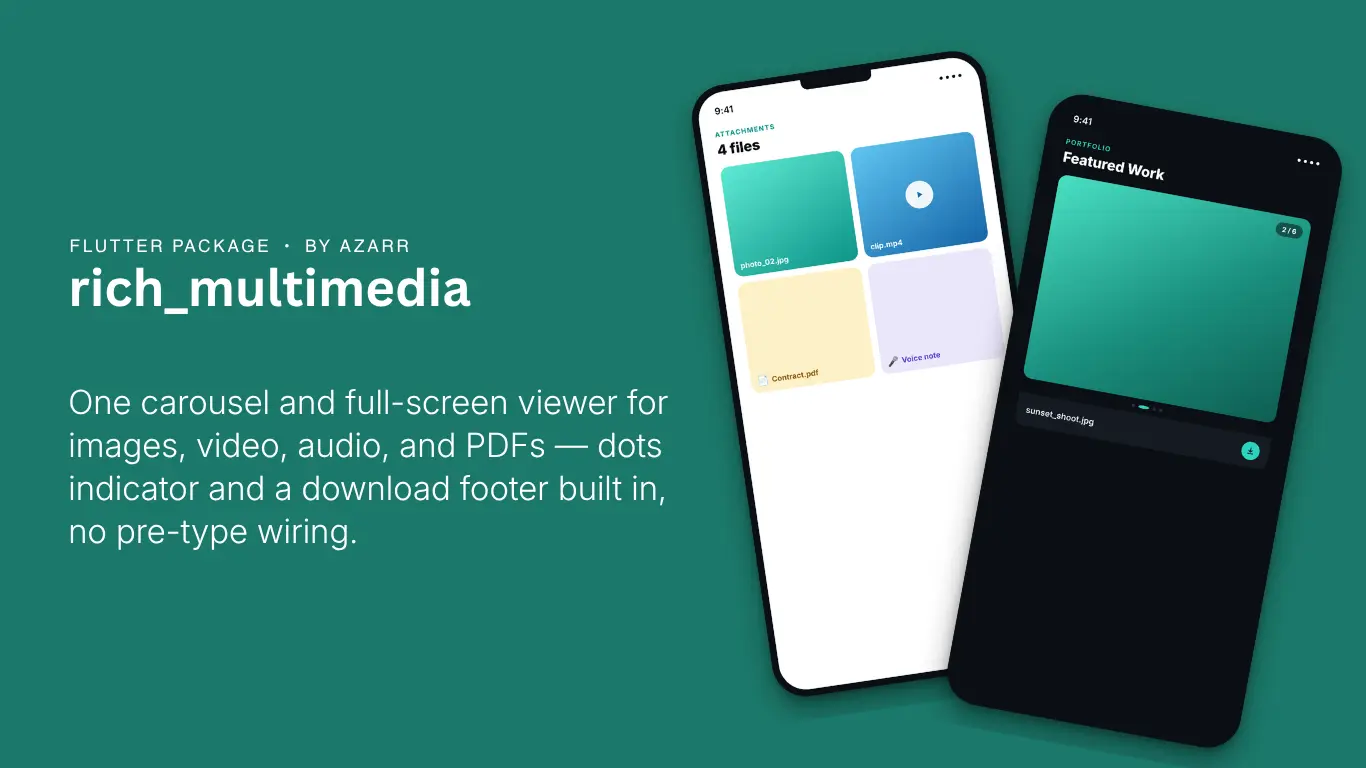
rich_multimedia: one carousel for images, video, audio, and PDFs in Flutter
Status:
rich_multimediais being finalized for its first pub.dev release. The API below is the shipped surface from the package's own test suite and example app — update the install snippet's version once it's live.
Any app that lets people attach or browse media — reviews, bookings, portfolios, chat — ends up rebuilding the same four things: something that tells an image apart from a video apart from a PDF, a carousel to page through them, a full-screen viewer with pinch-to-zoom and video controls, and a download flow. rich_multimedia is those four things, extracted from a production app and genericized so they're not tied to any one app's models.


Where this came from
The Masters Konnect marketplace app has a constants/utils/media/ subsystem that powers portfolio galleries, review attachments, and booking proof-of-work photos — all image/video/audio/PDF aware. It worked, but it had an unglamorous bug baked in: two different classifiers decided what kind of file a URL pointed to, and they could disagree. One helper's isVideoFile and another helper's isVideoUrl weren't always checking the same thing, so the same attachment could render differently depending on which screen showed it.
Extracting the package was the forcing function to actually fix that. rich_multimedia has exactly one classifier — MediaClassifier.classify() — and every widget in the package, from the smallest tile to the full-screen viewer, dispatches off it. One truth, used everywhere.
Install
dependencies:
  rich_multimedia: ^0.1.0
The two widgets most apps need
import 'package:rich_multimedia/rich_multimedia.dart';

// A single tappable media tile — taps open the full-screen viewer.
MultiMediaItem(
  url: attachment.url,
  mediaUrls: allAttachmentUrls, // optional: lets the viewer swipe through the rest
  index: attachment.index,
)

// A swipeable carousel with a footer (dots, counter, caption, download button).
MediaCarousel(
  mediaUrls: booking.proofOfWorkUrls,
  caption: booking.note,
  onDownload: (url) => MediaDownloader.download(context, url, galleryAlbum: 'My App'),
)
Both dispatch on file extension automatically — image, video, audio, PDF, or a generic file placeholder for anything else. Point either widget at a URL (or a local file path) and it figures out the rest.
Opening the viewer on your own terms
If you've already got your own tap target — a card, a thumbnail grid, a chat bubble — and just want it to open the full-screen viewer:
MediaFullViewer.show(
  context: context,
  mediaUrls: urls,
  initialIndex: tappedIndex,
  accentColor: Theme.of(context).colorScheme.primary,
);
Gating downloads behind a condition
MediaCarousel's footer can swap the download button for a locked, tooltip-explained placeholder — useful for "not available until X" flows. The original use case was a booking's proof-of-work photos, locked until the vendor marks the job complete, but the pattern is generic:
MediaCarousel(
  mediaUrls: urls,
  downloadLocked: !booking.isComplete,
  lockedTooltip: 'Available after the booking is marked complete',
  onDownload: (url) => MediaDownloader.download(context, url),
)
Screenshot protection, on by default
MultiMediaItem and MediaFullViewer both enable screenshot and screen-recording protection for as long as the viewer is open, by default — useful for anything sensitive (contracts, private photos, ID documents). Turn it off per call if your use case doesn't need it, or you'd rather not carry the extra native permission:
MultiMediaItem(url: url, protectFromScreenshots: false)
Every piece, exported individually
The two headline widgets above are built from smaller pieces, and every one of them is exported for a custom layout: ImageItemWidget, VideoItemWidget, VideoPreviewWidget, LocalVideoPreview, NetworkVideoPreview, InMemoryAudioPlayer, InMemoryPdfViewer, FilePlaceholder, MediaNavArrow, MediaDotsIndicator, MediaCarouselFooter, ScreenshotProtection, and the MediaKind/MediaClassifier pair everything else dispatches on.
Pairing with a reviews package
If you're also using something like reviews_ui_kit to render a review list, its attachmentBuilder callback is exactly the hook to wire up MultiMediaItem for rendering each review's photos and videos:
ReviewListItem(
  review: review,
  attachmentBuilder: (context, url, allUrls, index) => MultiMediaItem(
    url: url,
    mediaUrls: allUrls,
    index: index,
  ),
)
That hook exists specifically so rich_multimedia can slot into a reviews list without reviews_ui_kit needing to depend on it directly — two independent packages, composed where it makes sense, neither one forcing the other on you.
What this package deliberately doesn't do
Picking new media to upload — an image/video/audio/document picker sheet, a "remove before submitting" preview grid — is a different concern. Upload flows vary too much from app to app to generalize well, and it's really about selecting files, not displaying ones you already have. rich_multimedia is display and viewing only: give it URLs or local paths, it renders them.
Try it
dependencies:
  rich_multimedia: ^0.1.0
Full API reference and the source will be on pub.dev once published.